
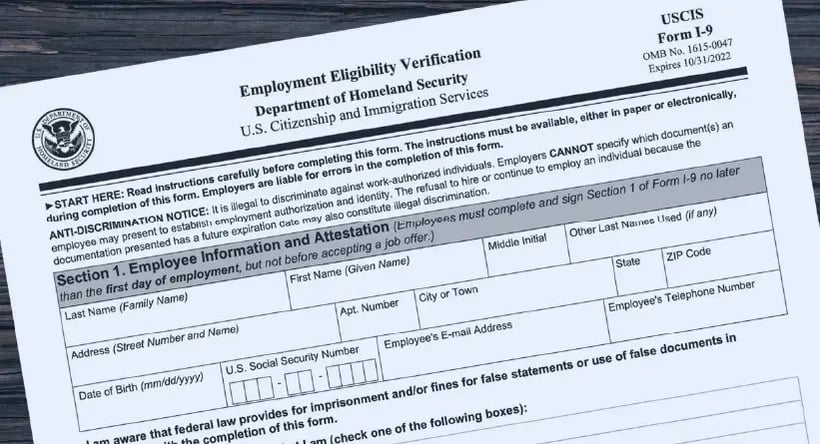
You can only examine Form I-9 documents remotely if you are enrolled in E-Verify and in good standing. That is the condition everything else depends on. Employers who qualify examine copies of the documents, hold a live video call where the employee presents the same documents, tick the alternative procedure box on the form, and keep copies of everything front and back.
If you are not in E-Verify, physical examination is still required. There is no remote option. Last updated September 2026.
| Requirement | Detail |
|---|---|
| Eligibility | Enrolled in E-Verify, in good standing, at that hiring site |
| Deadline | Section 2 within three business days of the first day of work for pay |
| Process | Examine transmitted copies, then live video with the same documents |
| Form | Tick the alternative procedure box in Section 2, or Supplement B for reverification |
| Retention | Copies of all documents, front and back, kept with the I-9 |
| Consistency | Offer it to all employees at that site, or none |
Every US employer must verify the identity and work authorisation of new hires using Form I-9, whatever the size or type of business. Since 1 August 2023, some employers can do that examination remotely instead of in person.
This guide covers who qualifies, how the process works, and the mistakes that cause penalties.
What is Form I-9?
The form that records verification of a new hire's identity and authorisation to work in the United States. The employee completes Section 1 on or before their first day of work for pay. The employer completes Section 2 within three business days of that first day.
The current version is the edition dated 08/01/2023. Earlier versions are obsolete and cannot be used.
Note that the old Section 3 no longer exists. Reverification and rehire are now handled on Supplement B, a standalone page. Preparer and translator certification moved to Supplement A. If your process still refers to Section 3, it is out of date.
Who can verify I-9 documents remotely?
Only employers enrolled in E-Verify and in good standing, at the hiring site in question.
This is the point most guidance skips. Remote examination is not a general flexibility available to all employers. It is an alternative procedure authorised by the Department of Homeland Security, codified at 8 CFR 274a.2, and available only to E-Verify participants.
Two further conditions apply:
Consistency. If you offer the alternative procedure at an E-Verify hiring site, you must offer it to all employees at that site. You may choose to apply it only to remote hires, but you cannot pick and choose between individuals.
No discrimination. Employees who are unable or unwilling to use the remote procedure must be allowed to present documents for physical examination instead.
How does remote I-9 verification work?
- The employee transmits copies of their chosen documents to you, front and back where the document is two-sided.
- You examine those copies to satisfy yourself they reasonably appear genuine.
- You hold a live video interaction with the employee, who presents the same documents on camera. Not a different set, the same ones.
- You complete Section 2 and tick the box indicating an alternative procedure was used. For reverification or rehire, tick the equivalent box on Supplement B.
- You retain clear copies of all documents with the Form I-9.
Two practical points. A screen share does not satisfy the requirement: digital documents must be printed and shown to the camera. And if the video quality is not good enough for you to be satisfied the documents appear genuine, do not complete Section 2. Reschedule. Completing it when you could not properly examine the documents is the same violation as not examining them at all.
How long must you keep Form I-9?
Three years after the date of hire, or one year after employment ends, whichever is later.
That wording matters. For a long-serving employee the retention period runs from the end of employment. For a short-tenured one it runs from the hire date. Getting it the wrong way round leads to destroying records too early.
Under the alternative procedure, document copies must be retained as well. Under physical examination, keeping copies is optional.

What are the best practices for I-9 compliance?
Use the current form. Check the edition date in the lower left corner. It should read 08/01/2023.
Standardise the process. One documented procedure applied to every hire, which is also your defence against a discrimination claim.
Train whoever completes Section 2. E-Verify enrolment includes fraud awareness and anti-discrimination training, and it is worth more than a policy document.
Audit internally. Review completed forms for missing signatures, dates and document details before an external audit finds them.
Store securely and separately. Keep I-9s apart from personnel files so they can be produced for inspection without exposing unrelated records.
Track the rules. USCIS policy changes, and the alternative procedure can be amended or withdrawn by DHS.
What goes wrong most often?
Assuming remote examination is allowed. Without E-Verify enrolment, it is not.
Missing the three-day deadline. Business days, from the first day of work for pay.
Using an obsolete form, or referring to Section 3 for reverification.
Over-specifying documents. Employees choose which acceptable documents to present. Requiring particular ones is a discrimination issue, not a diligence one.
Incomplete entries. Missing document expiry dates, issuing authority or signatures are the most commonly cited technical violations.
How Global Expansion helps
We handle global immigration and employment compliance across 214 countries and territories, including US work authorisation requirements.
If you are hiring outside the US, an Employer of Record removes the equivalent problem in each country, since we become the legal employer and carry the verification and compliance obligations. Country requirements are in CountryPedia.

Workforce management runs through GX One, and our global HR team supports the process end to end.
Frequently asked questions
Can any employer verify I-9 documents remotely?
No. Remote examination is only available to employers enrolled in E-Verify and in good standing at that hiring site. Employers not in E-Verify must examine original documents physically, in person.
Does Form I-9 still have a Section 3?
No. The 08/01/2023 edition replaced Section 3 with Supplement B, a standalone page used for reverification and rehire. Preparer and translator certification moved to Supplement A.
How long do I have to complete Section 2?
Three business days from the employee's first day of work for pay. Section 1 must be completed by the employee on or before that first day.
How long must I keep I-9 forms?
Three years after the date of hire or one year after employment ends, whichever is later. If you used the alternative procedure, you must also retain copies of the documents you examined.
Can I use screen sharing to examine documents?
No. USCIS has not authorised screen sharing for this purpose. Digital documents must be printed and presented to the camera during the live video interaction.
Do I have to offer remote verification to everyone?
If you offer it at an E-Verify hiring site, you must offer it consistently to all employees at that site. You may apply it to remote hires only, but you cannot select between individuals, and anyone unable or unwilling to use it must be allowed physical examination instead.
What happens if I get Form I-9 wrong?
Civil penalties for technical and substantive violations, with higher penalties and potential criminal liability for knowingly employing unauthorised workers. Most findings in practice are technical: missing dates, signatures or document details.